
The pain
AI for your clients as just another module. Open source, no licences. Not a service on the side that you connect client by client. An AI that installs, updates and uninstalls like any other module, on the Odoo the client already runs. Here the agents live in plain Odoo modules.
| 01 — Tied to one provider? | Add several, each for its job: conversation, audio, vision, video. If one fails, the next one answers. |
| 02 — What if the AI writes in production? | Its code runs in a read-only sandbox. To change anything it proposes a plan, and a person approves it. |
| 03 — A closed prompt that does not know your client? | Contexts are edited and extended inside Odoo: their vocabulary, their rules, their habits. |
What you get
Agents that are Odoo
- An agent is a record that a module brings with it. Install the module and the agent is there; uninstall it and it goes.
- Each agent has its own list of providers, in the order you set.
- Everything is in the client's database: no second copy somewhere else.
Providers for each task
- OpenAI and any OpenAI-compatible endpoint, Anthropic, OpenRouter. A local model (Ollama, LM Studio) on the client's own server works too.
- Roles per provider: conversation, audio, vision, video, page layout, turning a phrase into a skill's fields, yes-or-no decisions.
- If one provider fails, the next one in the list answers.
- The key stays in the client's database, never in the module.
A sandbox and a person
- The code the AI writes reads in a read-only transaction, with the rights of the person who asked.
- A change to Odoo is a plan that waits for a person to approve it in Odoo.
- Every call is logged: each user sees their own activity, the administrator sees all of it.
- Outside addresses only from a whitelist you keep.
Knowledge you own
- Contexts: the client's words, rules and habits, edited in Odoo.
- Skills: procedures written once and launched by name. Their tables and charts come from code, not from the AI.
- Export the whole AI setup of one client to a file and import it at the next one.
An MCP server in the client's Odoo
- Cursor and other MCP clients connect to
/mcpwith a personal key. - No admin password goes anywhere. Each key reads with its user's rights.
- The client's own model does the thinking; Odoo answers its tool calls. No provider needed for that.
Nothing to license
- Apache 2.0. No fee per user, per database or per year.
- A plain Odoo module: no external server to run.
- Same module at every client on a supported series.
Agents, roles and chains
What an agent is. Anything in Odoo that uses AI: a chat, a voice assistant, an MCP endpoint, a job that runs in the background. In the engine it is a record (AI Engine → Agents) with a code, its contexts, its skills and its list of providers.
The natural home of an agent is the Odoo module that needs it: install the module and the agent is there; uninstall it and it goes. One module can bring more than one. This engine brings two:
- MCP Server (
pns_ai_mcp) serves contexts and tools to an outside client such as Cursor. The model runs in that client; Odoo answers its tool calls. - AI Admin (
pns_ai_admin) does the engine's own jobs: writing a skill, reading an API's documentation.
Chatboo brings the chat agent. An agent can also be created by hand in Odoo.
Two kinds. Inference: Odoo calls the model, through the agent's providers (a chat, a voice assistant). Endpoint: the model is outside and Odoo only serves it (MCP).
Roles. A role says what a provider is for. One provider can hold several.
| Role | What for |
|---|---|
| Conversation | The ordinary text turn. A provider with no role does the same. |
| Audio | A voice clip into text. |
| Vision | A photo or a scanned page. |
| Video | A video clip. |
| Decision | A closed yes or no, with a confidence. Nobody holding it means no. |
| Design | Lays out a page from the data of a turn. Nobody holding it: Conversation answers. |
| Parser | A short phrase into fields, such as the arguments of a skill. A small model is enough. Nobody holding it: Conversation answers. |
The chain. Each agent has its own providers, in the order you set. When a turn needs a role, the engine takes the providers of that agent that hold it, in that order. If one fails or stalls, the next one answers.
- Each link has its own timeouts: seconds with no data, and seconds for a whole round.
- A provider that holds only that role goes before the ones that do everything: it was chosen for that job.
- If the chain has nobody for a role other than Conversation, the engine looks among every active provider.
- No external failover ends the chain at that provider. Use it on a local model whose data must not go out.
- A key that reached its monthly spend cap is skipped.
- An agent with no chain uses every active provider.
For example: a large model for the conversation, a small one with only Parser, and a local model at the end of the chain as backup.
Included in the module
Read from the module’s own files, version 3.1.931.
Contexts
| Code | Kind | Description |
|---|---|---|
system_prompt |
core | Odoo Autonomous Agent - Strict Tool Execution Protocol |
account |
domain | Odoo Accounting module knowledge - invoices, refunds, payments |
business_documents |
domain | Read, create and modify business documents (quotations, orders, invoices, pickings) |
cost_accounting |
domain | Analytic accounting: correct ORM fields and group-by patterns |
dates |
domain | ORM date/period composition: calendar Date/Datetime vs identifier text |
email |
domain | Email in Odoo — mail.mail (mailbox) vs mail.notification (delivery) |
fetch_url_recipe |
domain | How to fetch external data: use the fetch_url safe operation, never import urllib/requests in relaxaicode |
filters |
domain | ir.filters knowledge - creating and managing filters |
geography |
domain | Geographic knowledge - country/province/city model, administrative levels (region is NOT a state), resolution funnel, and HONEST handling of missing geo data (report, never invent) |
hr_contracts |
domain | [RECOMMENDED] Employment contracts: employee master first, hr.contract only if installed, never contract.contract |
hr_payroll |
domain | [RECOMMENDED] Payroll: accounting first, payslip fallback, honest empty state |
hr_payroll_accounting_present |
domain | Payroll accounting: partner totals → hr.employee match + structured rows (all locales) |
hr_payroll_de_DE |
domain | Payroll Germany - account 4100 SKR first, payslip fallback |
hr_payroll_en_US |
domain | Payroll US - accounts 5100-5300 first, payslip fallback |
hr_payroll_es_AR |
domain | Payroll Argentina - account 411 first, payslip fallback |
hr_payroll_es_ES |
domain | Payroll Spain - accounting 640/4751/476 first, payslip fallback [RECOMMENDED] |
hr_payroll_es_MX |
domain | Payroll Mexico - account 5100 first, payslip fallback |
hr_payroll_fr_FR |
domain | Payroll France - account 421 first, payslip fallback |
hr_payroll_it_IT |
domain | Payroll Italy - account 2120 first, payslip fallback |
hr_payroll_pt_BR |
domain | Payroll Brazil - accounts 311/3.1.1 first, payslip fallback |
invoice_concepts |
domain | Invoice field mappings, calculations and coding conventions |
partners |
domain | res.partner knowledge - customers, suppliers, location search |
sale_order_duplicate_workflow |
domain | How to duplicate a sale order and change its lines in two separate steps. Includes how to get the URL of the new order. |
self_mcp |
domain | MCP endpoint identity — knowledge layer for an external LLM |
trial_balance |
domain | Trial balance - accounts with debits, credits and balance by date range (generic fallback) |
trial_balance_es_ES |
domain | Trial balance - accounts with debits, credits and balance by date range (Spain) |
corporate_terms |
locale | English corporate terminology mapping - Odoo field and model translations (factory fallback) |
corporate_terms_es_ES |
locale | Spanish corporate terminology mapping - Odoo field and model translations |
Example providers
In static/examples/providers/, with no key.
| Name | Protocol | Model | Roles |
|---|---|---|---|
| Anthropic | anthropic |
claude-opus-4-8 |
|
| Lemonade | openai |
gpt-oss-20b-NPU |
|
| OpenAI | openai |
gpt-4-turbo |
|
| OpenRouter - Conversation | openrouter |
anthropic/claude-opus-5.5 |
conversation, vision, design |
| OpenRouter - Vision | openrouter |
~anthropic/claude-sonnet-latest |
vision |
| OpenRouter - Design | openrouter |
~anthropic/claude-opus-latest |
design |
| OpenRouter - Audio | openrouter |
google/gemini-3.5-transcribe |
audio |
| OpenRouter - Parser | openrouter |
anthropic/claude-haiku-5.5 |
parser |
| OpenRouter - Decision | systemone |
typesafe/jev-1.13 |
decision |
| OVH - Backup | openai |
Qwen3.8-27B |
conversation, vision |
What it does not do
- No chat screen. The engine has no conversation window for users. That is Chatboo.
- No writes on its own. The AI never changes Odoo by itself. Every change is a plan that a person approves in Odoo.
- Four provider protocols. OpenAI-compatible, OpenRouter, Anthropic and SystemOne (yes-or-no decisions). An API that speaks none of them does not connect.
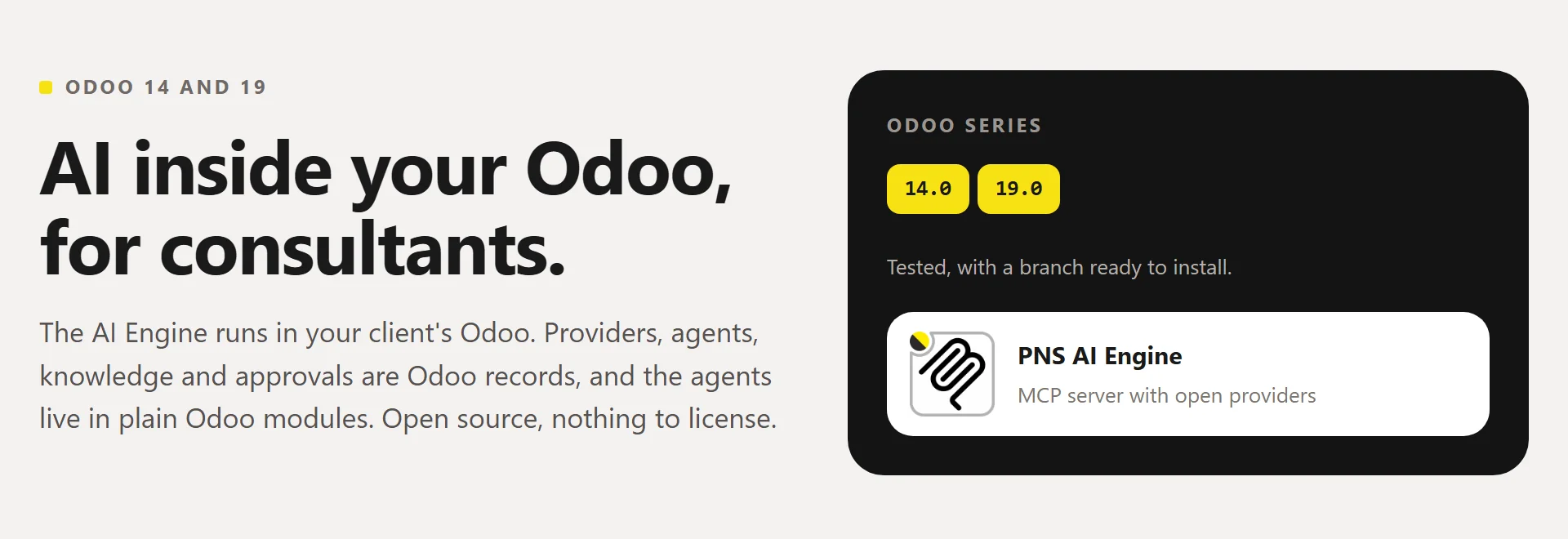
- Two tested series. 14.0 and 19.0. From 15.0 to 18.0 you build the module yourself and try it first; 13.0 and older do not run (see Odoo versions).
Questions
Is it an MCP server? It includes one, in the same module. POST /mcp speaks Streamable HTTP. /mcp/sse with /mcp/message is for clients that only speak SSE. /mcp/<agent> ties the call to one agent. Three tools: relaxaicode (read-only Python against Odoo), safe_plan_request (propose a change) and safe_plan_status (see whether it was approved).
Where do the client's data go? To the providers you set up, and to the outside addresses and API servers you allow. When Cursor or another MCP client connects, its own model sees what the tools return.
Do I need Chatboo? No. The engine alone serves MCP clients. Chatboo adds the chat inside Odoo and brings the engine with it.
What is pns_base? The shared layer of the PNS modules: the same screens load on Odoo 14 and 19, plus small helpers (notifications, import and export, PDF). It installs as a dependency.
Getting started
- Install. Want the chat too? Install Chatboo instead; it brings this module. For the engine alone, clone the
14.0or19.0branch ofpns_baseandpns_ai_mcp, add each clone toaddons_pathand install PNS AI Engine from Apps. On Odoo 14, first runpip install "openpyxl>=3.1.2". - Become AI administrator. Settings → Users: give yourself AI Administrator. Log out and back in.
- Get your API key. AI Engine → Security → Users: your row, tick AI Conversational and press Generate API Key.
- Add a provider. AI Engine → Connections → Providers: protocol, endpoint, API key and model, with the Conversation role.
Or start from a ready one:
static/examples/providers/has OpenRouter, OVH, OpenAI, Anthropic and Lemonade, with no key. Settings → AI Engine → Import configuration, pick the file, then type your key in each provider.
Done. Point Cursor (or any MCP client) at https://<your-odoo>/mcp with the key in the X-MCP-API-Key header. Example below, in Connecting an MCP client.
For IT staff
Connecting an MCP client
In Cursor, add the server to ~/.cursor/mcp.json (all projects) or to
.cursor/mcp.json (one project). Other MCP clients take the same two
things: the URL and the header.
{
  "mcpServers": {
    "my-client-odoo": {
      "url": "https://odoo.example.com/mcp",
      "headers": {
        "X-MCP-API-Key": "<your-api-key>"
      }
    }
  }
}
The key is the one from step 3 and reads with that user's rights. One key per person; do not commit the file with the key in it.
Repository layout
main is one tree for every series. A flat branch (14.0, 19.0) is that tree built for one series, ready for the addons path.
| Path | Contents |
|---|---|
common/ |
Version-agnostic code, skills, contexts, data, Apps sheet |
stacks/owl1/pns_ai_mcp/ |
Odoo 14 |
stacks/owl2/pns_ai_mcp/ |
Odoo 15 and later |
The installer overlays common/ then the stack; a stack file with the same
path wins. Edit agnostic files only in common/. Build a flat module with
./install_flat.sh 19.0 /path/to/addons. Domain UI helpers: utils/mcp_ui.py.
Python: do not add requests or reportlab (Odoo already ships them).
pns_base needs no extra pip. On 14, use a current openpyxl (old wheels
break with recent NumPy).
Odoo versions
| Series | Status |
|---|---|
| 14.0, 19.0 | Tested. Flat branch published. |
| 15.0 – 18.0 | Not tested, by people or by CI. No branch published. |
| 13.0 and older | Not supported. |
15.0 to 18.0. There is no branch to clone. Build the flat module
yourself from main, which has the code for every series (owl2 for 15.0
and later). Do the same for pns_base:
git clone https://github.com/patanegra-soft/pns_base.git
git clone https://github.com/patanegra-soft/pns_ai_mcp.git
cd pns_base   && ./install_flat.sh 17.0 /path/to/addons && cd ..
cd pns_ai_mcp && ./install_flat.sh 17.0 /path/to/addons
The script warns that the series is not tested. Nobody has run the engine on these series, so try it on a test database first and run the Odoo tests there (see Tests). If it works, or does not, tell us (CONTRIBUTING.md).
Odoo 13 has no OWL, which the AI chat is built on. Odoo 8 to 12 run on a
Python older than 3.7, which the engine needs. The suite keeps two stacks
(owl1 for 14.0, owl2 for 15.0 and later).
Tests
| Where you are | What runs |
|---|---|
main |
python -m pytest unit_tests, with no Odoo. Then the Odoo tests, after ./install_flat.sh 19.0 <dir>. |
A flat branch (14.0, 19.0) |
The Odoo tests in tests/. The unit tests live on main. |
odoo-bin -d <db> -i pns_ai_mcp --test-enable --stop-after-init --test-tags /pns_ai_mcp
License, marks, training
Apache-2.0 — see LICENSE and NOTICE.
PATANEGRA Soft™ and PAAP™ (Patanegra Application Agent Protocol, which this
engine implements) are trademarks of PATANEGRA Soft SL; the license does
not grant them. TDM / AI training is allowed (TDMRep tdm-reservation = 0).
Security: SECURITY.md. Bugs, ideas and questions: CONTRIBUTING.md.